Find us on Google Plus

Monday, 28 April 2014

Galaxy Launcher (TouchWiz) Prime v1.0.1 Apk

Galaxy Launcher (TouchWiz) Prime v1.0.1 Apk

Cover art
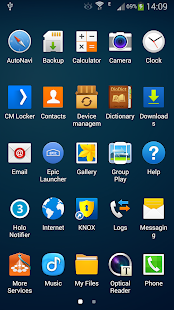
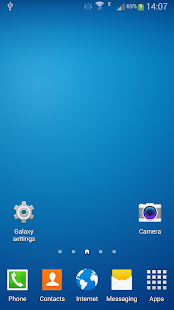
Highly customizable, performance driven, home screen replacement based on the Galaxy S5 Launcher with TouchWiz interface.
Galaxy Launcher features:
+ Customizable icon size and icon text size
+ Support ADW icon packs
+ Customizable desktop grid and drawer grid
+ Lock, Unlock desktop
+ Infinite scrolling on desktop, drawer and dock
+ Elastic scrolling on desktop, drawer and dock
+ Hide apps in drawer
+ Scrollable dock, customizable dock pages and number of dock icons
+ Screen orientation
+ Set default screen for desktop
+ Card stack effect and TouchWiz scrolling effect
+ Edit shortcut icons and text
+ Enable/Disable wallpaper scrolling
+ Enable/Disable reset drawer position
+ More than 16 icons in folder
+ Resize any widget
+ Backup and restore
+ Keep launcher in memory
Galaxy Launcher Prime unlocks the following features:
+ Unread counts, support ADW Notifier and Holo Notifier
+ Folders in drawer, organize apps into folders
+ Gestures support
+ Swipe gestures on any icons
+ Add/Delete folder items quickly
+ Customizable drawer background color
+ Support Nova Launcher, Apex Launcher, Go Launcher and LauncherPro icon packs
+ 1×1 widgets in dock
+ More scrolling effects
Galaxy Launcher (TouchWiz) - screenshot thumbnailGalaxy Launcher (TouchWiz) - screenshot thumbnail
Tips:
1. Long-press on the empty space of screen will enter the edit mode.
2. To add a new screen, long-press on an icon and drag it to the right border of the screen.
3. To delete a screen, just remove all the icons and widgets on the screen.
4. To re-order the screens, long-press the screen in edit mode and drag it to left/right screen border.


READ MORE AT GOOGLE PLAY STORE


OR


Upcoming searchesdownload Galaxy Launcher (TouchWiz) Prime v1.0Galaxy Launcher (TouchWiz) Prime v1.0.apkfull version Galaxy Launcher (TouchWiz) Prime v1.0apk Galaxy Launcher (TouchWiz) Prime v1.0download apk Galaxy Launcher (TouchWiz) Prime v1.0.apk


Convertor Pro v6.1 Apk

Convertor Pro v6.1 Apk

Cover art
All the units you need to convert, wrapped in the best user interface: as easy and intuitive to use as a calculator. It’s unit conversion done right!
• Converts as you type (no “Convert” button to press)
• Use mixed units, like feet+inches
• Freely mix fractions (like ½) with decimals (like 0.5)
• Switch units by swipe, long-press, or menu
• Unit calculator with clipboard “memory”
• Supports tablets
• Three UI skin options: Holo Dark, Holo Light, and Classic Gray
• Includes Chinese and Hong Kong units
• Unit categories cover everything from the basics of length, weight and volume to more specialist measurements like magnetic flux density, torque, or radioactive decay.
What’s New
• Support single-tap to select category, or unit (on active unit row)
• Remove “Use fractions” checkbox from unit selection dialog
• Fix occasional crash when dis/enabling ads in settings (Free only)
• Fix bug: “Hide action bar” setting visible on some Samsung devices w/o a hardware Menu button
• Discontinue support for Android 1.6 (Donut)

READ MORE AT GOOGLE PLAY STORE


OR


Upcoming searchesdownload Convertor Pro v6.1Convertor Pro v6.1.apkfull version Convertor Pro v6.1apk Convertor Pro v6.1download apk Convertor Pro v6.1.apk

Calcoid™ Plus v1.5 Apk

Calcoid™ Plus v1.5 Apk

Cover art
Calcoid™ Plus
Get the best and visually stunning Android Scientific Calculator. This fully featured app is the enhanced and ad free version of “Android’s #1 Scientific Calculator.”
It is packed with many cool and useful features.
• Amazing backgrounds
• Trigonometric functions
• Degrees/radians
• Exponential
• Logarithm
• Percentages
• No advertising
• User-customizable sound ON/OFF

READ MORE AT GOOGLE PLAY STORE


OR


Upcoming searchesdownload Calcoid™ Plus v1.5Calcoid™ Plus v1.5.apkfull version Calcoid™ Plus v1.5apk Calcoid™ Plus v1.5download apk Calcoid™ Plus v1.5.apk

Sliding Messaging Pro v8.30 Apk

Sliding Messaging Pro v8.30 Apk

Sliding Messaging Pro - screenshot thumbnail
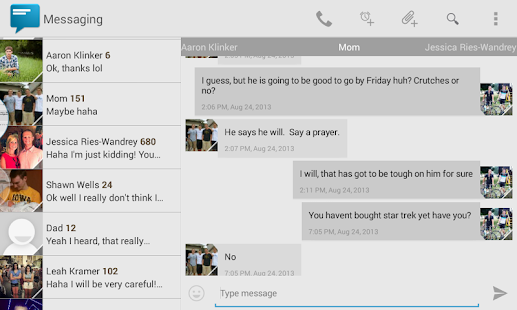
Easily manage text messages in a new and up to date format compliant with the Android design guidelines and visually based on the stock messaging app from Google, with added features.
Features:
- Easily switch between conversations by dragging out the sliding menu on the left side of the screen.
- Start a new conversation by sliding out the menu on the right side of the screen
- Manage old messages with a single click
- Choose between 10 different themes or make your own from scratch
- Emoji support (1300+ to choose from)
- Google Voice support
- Quick reply popup
- Quick message templates
- Multi-window support for Galaxy Note
- Light Flow support
- Support for sending and viewing picture and group messages
- Option to choose background images for conversations menu and message list
- Custom animations
- Widget
- Individual notification settings
- Contact blacklisting settings
- Security settings
- And so much more!
What’s New
- Updated UI for pull to oad more messages
- Faster and more accurate way to automatically find device APNs
- Added preset user agent options, use these if you are receiving pictures at a smaller resolution then they should be.

READ MORE AT GOOGLE PLAY STORE


OR


Upcoming searchesdownload Sliding Messaging Pro v8.30Sliding Messaging Pro v8.30.apkfull version Sliding Messaging Pro v8.30apk Sliding Messaging Pro v8.30download apk Sliding Messaging Pro v8.30.apk

Duo: Holo File Manager Pro v1.0.20 Apk

Duo: Holo File Manager Pro v1.0.20 Apk

Cover art
This is the paid version with no ads and no internet permission.
Duo: Holo File Manager Pro (DuoFM for short, formerly UNCOPT File Browser), aims to be your go-to app for everything file-related on your android device.
It is similar to Windows Explorer or Mac finder on your computer. Just like them, it can be used to access files on the device, and also to browse the files on your network or on cloud services.
DuoFM combines the features of the popular file managers (like Astro, ES Explorer, Solid Explorer, …) and root explorers.
Its two main focus points are design and stability.
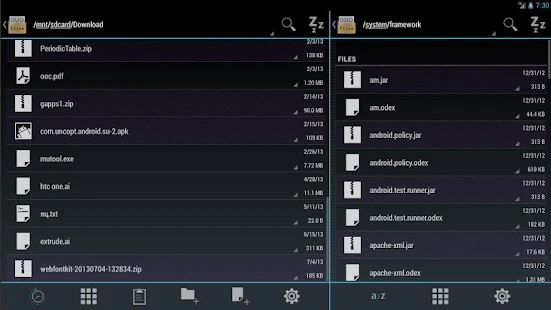
The application fits perfectly within the modern android holographic (Holo) style that was introduced with Android 4 (Ice Cream Sandwich or ICS). It looks and feels as if it was one of the apps bundled with the core of android, and follows Google design guidelines perfectly. At the same time, it improves on usability thanks to its innovative dual (split) navigation pane that is fully adjustable, and its navigation spinner in the action bar. DuoFM has also been optimized to adapt its layout on a tablet.
Extra attention is being placed on stability. This is about not crashing and having features that work the way you expect them to. This includes a lot of little things, such as restoring the state correctly when coming back from the background, or reacting to outside changes.
This mindset drove us to take unusual approaches to the way we implemented some of the core features. Those differences might not be noticeable at first, but they participate in making DuoFM rock solid and enable workflows that other applications don’t support.
Two of those decisions stand out.
The first is that we developped a native api (in c) to query the filesystem. This allowed us to use the same highly optimized api for accessing files on user accessible storage areas (such as the sdcard) or on root-only partitions. We extended that api to enable access to archive content as if they were simple directories on the filesystem, including nested archives.
The second is that we decided to never create any intermediate copies, not on the filesystem and not in memory. We support opening / sending / copying files of any size, without requiring any space left on the internal or external storage. This is true for all directories: local, remote (over the network or in the cloud), or inside archives. We stream the data to the target directory or application.
The various storage areas (internal memory, sdcards) are automatically detected, including On-The-Go (OTG) USB attachments when available. No user specification is required.
Duo: Holo File Manager Pro - screenshot thumbnail
Access to files not located on the device or its attachements is done through plugins. This separation is done to keep the main application small and to let users decide what extra feature to install. The available plugins are listed in the settings.
So far, the following plugins are available (and free):
- LAN: to give access to the local network shares (windows, SAMBA or SMB).
- Google Drive
- SkyDrive
- Dropbox

READ MORE AT GOOGLE PLAY STORE


OR


Upcoming searchesdownload Duo: Holo File Manager Pro v1.0.20Duo: Holo File Manager Pro v1.0.20.apkfull version Duo: Holo File Manager Pro v1.0.20apk Duo: Holo File Manager Pro v1.0.20download apk Duo: Holo File Manager Pro v1.0.20.apk


AMI Player Pro v1.0 Apk

AMI Player Pro v1.0 Apk

Cover art
AMI Player Pro is an Advanced Media Impresa Player of Video and Audio. It is the first ever video player which gives different audio post processing effects for any video. Almost 19 audio effects, 9 voice effects and 13 convolution reverb effects are available. Same effects work with audio player as well. It gives excellent listening experience for videos and audios on Phones and Tablets. It comes with attractive and easy media player UI to apply different effects on any video/audio playback. It gives Volume Booster of 5dB extra on maximum allowed volume of the device.
Sure It is the best Video player and Audio player in recent times which comes with different equalizer, audio post processing, modulation and convolution reverberation effects.
Supported Video player Formats: mp4, 3gp, flv etc
Supported Audio player Formats: mp3, aac, wav etc
Supported Android Version: 4.1.0 and, above like Jelly Bean, KitKat etc.
Key features:
• Automatic identification of all the video/audio files in the device, show in thumbnail display
• Play, Pause, Next, Previous operation
• Unlimited number of Playlist creation: mixed with audio and video files
AMI Player Pro - screenshot thumbnail
• Repeat, Shuffle, Repeat one modes in any playlist
• HD Play back of video/audio files
• Volume Booster of about 5dB more
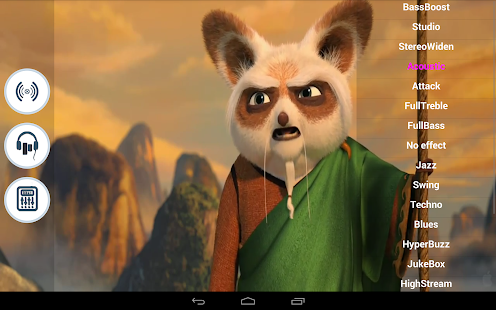
• Audio Post Processing effects like Bass Boost, Studio, Attack, Stereo Widening, Full Bass, Full Treble, Head Phone, Metal etc on Video Player as well Audio Player
• Voice effects like Echo, Feedback etc on Video Player as well Audio Player
• Fun effects like Voice Changer, Whistles etc on Video Player as well Audio Player
• Convolution reverberation effects like LargeHall, ConcertHall, MusicRoom on Video Player as well Audio Player
• Battery status, Date and Time display
• Hardware Acceleration for Video and Audio decoding
• Drains less battery than software based players
• Can play 1080P files if HW acceleration supported in the device
• Plays only audio in case video format is not supported
• Background playback support for Audio Player
• Background playback support for audio of video files in Video Player

READ MORE AT GOOGLE PLAY STORE


DOWNLOAD AMI Player Pro v1.0.apk
OR
PLAY STORE


Upcoming searchesdownload AMI Player Pro v1.0AMI Player Pro v1.0.apkfull version AMI Player Pro v1.0apk AMI Player Pro v1.0download apk AMI Player Pro v1.0.apk


ROM Toolbox Pro v6.0.3 Patched Apk

ROM Toolbox Pro v6.0.3 Patched Apk

Cover art
ROM Toolbox is THE MUST HAVE APP for every root user.
ROM Toolbox combines all the great root apps into one monster app with a beautiful and easy to use interface. ROM Toolbox has every tool you need to make your Android device fast and customized to your liking.
ROM Toolbox combines apps like Titanium Backup, ROM Manager, Root Explorer, SetCPU, MetaMorph, Autorun Manager, Terminal Emulator, Script Manager, SD Booster, BuildProp Editor, Font Installer, Boot Animation Installer & many more apps into an all-in-one app!
Here is a list of some of the features you will find:
★ ROM Management ★
☆ Install ROMs & themes from a growing list of ROMs. AOKP, CyanogenMod and other popular ROMs included.
☆ Create, manage & restore nandroid backups
☆ Wipe data, cache, dalvik-cache, battery stats
☆ Install multiple ROMs & ZIPs from your SD card
★App Manager ★
☆ Batch backup & restore apps and their data
☆ Schedule backups to run at a certain time
☆ Restore apps from nandroid backups
☆ Backup/Restore text messages, bookmarks, accounts, etc.
☆ Backup your apps to dropbox
☆ Freeze/Defrost system & user apps
☆ Backup/restore Android Market link
☆ Task manager
☆ Automated batch uninstaller
☆ E-mail your apps to friends
☆ Move any user app to the SD card
☆ Clean up dalvik-cache
☆ Zipalign, fix permissions, wipe data & cache, force close any app
★Root Explorer ★
☆ Access the whole of android’s file system (including the elusive data folder!).
☆ Batch copy/paste, zip, tar, delete, move any file or folder
☆ Change file permissions and ownership
☆ View, edit & share files
☆ File manager with two panels for easier management
★ Scripter & Terminal Emulator ★
☆ Create and run scripts as root
☆ Set your scripts to run at-boot
★ Auto Start Manager ★
☆ Enable/disable apps that run on start-up
☆ Enable/disable any broadcast receiver, activity or service
★ Rebooter ★
☆ Reboot recovery, powerdown, bootloader, etc.
★ Font Installer ★
☆ Install custom fonts from a huge list or from your sdcard
☆ Set fonts as favorites & send them to friends
★ Boot Animation Installer ★
☆ Install custom boot animations from a huge collection or from your sdcard
☆ Preview boot animations
☆ Create a boot animation from a GIF file
☆ Have a new random boot animation each time you boot-up!
★ Theme Manager & Statusbar Icon Changer ★
☆ Create and install full themes
☆ Customize your status bar by installing custom icons for wifi, signal, gps, etc.
☆ Change your battery icons in the status bar to a custom one from a list of 200+
★ Boot Logo Changer ★
☆ Change your boot logo for supported phones
★ Theme Chooser Themes ★
☆ View a list of themes for the TMobile Theme Chooser
★Set CPU★
☆ SetCPU & scaling governor
☆ CPU Profiles
☆ Kernel tweaks to speed up performance
★ Build.prop Editor ★
☆ Easily edit your build.prop
☆ Change lcd density, improve battery life, increase performance
★ Auto Memory Manager ★
☆ Set minfree values & select from presets. Apply values at boot
★ SD Booster ★
☆ Increase the speed of your SD card

READ MORE AT GOOGLE PLAY STORE


OR


Upcoming searchesdownload ROM Toolbox Pro v6.0.3 PatchedROM Toolbox Pro v6.0.3 Patched.apkfull version ROM Toolbox Pro v6.0.3 Patchedapk ROM Toolbox Pro v6.0.3 Patcheddownload apk ROM Toolbox Pro v6.0.3 Patched.apk