Find us on Google Plus

Showing posts with label Theme Launcher. Show all posts

Monday, 28 April 2014

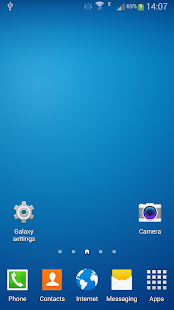
Galaxy Launcher (TouchWiz) Prime v1.0.1 Apk

Galaxy Launcher (TouchWiz) Prime v1.0.1 Apk

Cover art
Highly customizable, performance driven, home screen replacement based on the Galaxy S5 Launcher with TouchWiz interface.
Galaxy Launcher features:
+ Customizable icon size and icon text size
+ Support ADW icon packs
+ Customizable desktop grid and drawer grid
+ Lock, Unlock desktop
+ Infinite scrolling on desktop, drawer and dock
+ Elastic scrolling on desktop, drawer and dock
+ Hide apps in drawer
+ Scrollable dock, customizable dock pages and number of dock icons
+ Screen orientation
+ Set default screen for desktop
+ Card stack effect and TouchWiz scrolling effect
+ Edit shortcut icons and text
+ Enable/Disable wallpaper scrolling
+ Enable/Disable reset drawer position
+ More than 16 icons in folder
+ Resize any widget
+ Backup and restore
+ Keep launcher in memory
Galaxy Launcher Prime unlocks the following features:
+ Unread counts, support ADW Notifier and Holo Notifier
+ Folders in drawer, organize apps into folders
+ Gestures support
+ Swipe gestures on any icons
+ Add/Delete folder items quickly
+ Customizable drawer background color
+ Support Nova Launcher, Apex Launcher, Go Launcher and LauncherPro icon packs
+ 1×1 widgets in dock
+ More scrolling effects
Galaxy Launcher (TouchWiz) - screenshot thumbnailGalaxy Launcher (TouchWiz) - screenshot thumbnail
Tips:
1. Long-press on the empty space of screen will enter the edit mode.
2. To add a new screen, long-press on an icon and drag it to the right border of the screen.
3. To delete a screen, just remove all the icons and widgets on the screen.
4. To re-order the screens, long-press the screen in edit mode and drag it to left/right screen border.

READ MORE AT GOOGLE PLAY STORE


OR


Upcoming searchesdownload Galaxy Launcher (TouchWiz) Prime v1.0Galaxy Launcher (TouchWiz) Prime v1.0.apkfull version Galaxy Launcher (TouchWiz) Prime v1.0apk Galaxy Launcher (TouchWiz) Prime v1.0download apk Galaxy Launcher (TouchWiz) Prime v1.0.apk


Inspire Launcher Prime v12.0.0 Apk

Inspire Launcher Prime v12.0.0 Apk

Inspire Launcher - screenshot thumbnail
★★ Inspire Launcher is a brand new launcher based on the new KitKat Android Launcher with tons of features and customizations. It combines the major features of the most common Android Launchers with some goodies from iOS and Windows Phone. ★★
★ FEATURES ★
* Flat UI and design
* Homescreen customizations
* App drawer customizations
* Custom icons and folders size
* Dock bar customizations
* Background with flat colors or custom images (Also for drawer)
* Custom opacity control
* Ability to hide applications
* Scroll effects and animations
* Text colors
* Custom single shortcut icons and rename
* Gestures
* Custom dock, appdrawer, icons and folder styles
* Appdrawer sidepanel for custom appdrawer categories!
* Genius Page inspired from iOS finder search and Google Now Launcher page!
* System toggles and Recent applications in genius page
* Support for Nova, ADW, Apex and all launchers icons pack and theme!
* Ability to backup, restore and reset own configurations
* Included flat clock widget with different styles
* Included a fresh colored theme called inspire colors that will enable a little colorfull icon pack with a drawer and folder custom icon!
* Free unread counters badge for SMS and Calls
* Over 500 free customizations
★ PRIME ★
* Intelligent UI aka IntelliUI: Automatic change background with great flat colors based on the hour of day
* Good morning notification with date and weather informations!
* Password protected applications
* Genius Bar search through youtube, maps, play store and more!
* Custom animations on applications launch and close
* Custom dock background
* Folders customization
* Custom folder icon
* Custom drawer launcher icon
★ Add-ons ★
* miOs
* Inspire Counters
* Inspire wallpapers
This launcher is under heavy development and tons of new features will be added on every update!

DOWNLOAD Inspire Launcher Prime v12.0.apkORPLAY STORE


Upcoming searchesdownload Inspire Launcher Prime v12.0Inspire Launcher Prime v12.0.apkfull version Inspire Launcher Prime v12.0apk Inspire Launcher Prime v12.0download apk Inspire Launcher Prime v12.0.apk

Windows 8 + with Live Tiles v2.6 Apk

Windows 8 + with Live Tiles v2.6 Apk

Cover art
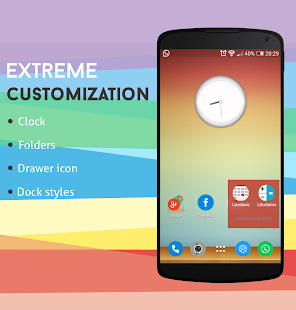
Only Windows 8 launcher with Gmail, Twitter, Facebook, Calender, Weather, News, Stock market, etc live tiles
Windows8+ is Home launcher application which tries to provide Windows8 mobile like experience on your android device.
Key features:
1)Live tiles for gmail, news, weather, twitter, calendar, etc with many configuration options
2) Widget Support Widget shown in the images are third party widgets.
3)Drag and drop tile groups to re-order/change the position of tiles.
4)Change icon/tile icon size using Menu >> Icon Size
5)Select the preferred country for news using Menu >> Prefs >> News Country and for stock market using Menu >> Prefs >> Stock Market
6)Power Control widget to on/off Wifi, Airplan mode, Bluetooth, ring mode, screen brightness, etc.
7)Click on icon/tile will bring up (launch) the associated app, (This application will try to associate most common applications like dialer, messsage, google play, etc) if you are clicking first time and no application is associated then list of all installed apps will be opened and you can associate any app of your wish to this tile.
8) Long Click on icon/tile to change the color, icon, application associated to tile. Following 4 options are available
* Associate App – Change the launching app while keeping the same icon on home screen.
* Change Color – Change background color of tile.
* Change App – Change the launching app and icon will be replaced with app icon
* Pin Contact – For easy access to your frequent call/text contact.
* Add Widget – Add widget on tile
9)Additional icons/tiles style which can be customized as per your need. Add/remove tiles from Menu >> Tiles
10)Weather Service : Based on your current location, local weather details are available.
11)Stock Market updates : Select your preferred Stock Market using Menu >> Misc >> Stock Market
What’s New
New in V2.6 :
- Facebook Live tile

READ MORE AT GOOGLE PLAY STORE


OR


Upcoming searchesdownload Windows 8 + with Live TilesWindows 8 + with Live Tiles.apkfull version Windows 8 + with Live Tilesapk Windows 8 + with Live Tilesdownload apk Windows 8 + with Live Tiles.apk

Wednesday, 23 April 2014

Turbo Launcher v1.2 Apk

Turbo Launcher v1.2.18.Apk

Cover art
Turbo Launcher – crazy for you, let us take you into the world of top speed!
Don’t know about Turbo launcher? Out of date…
With speed ​​smooth 3D engine technology, Turbo launcher will blow cool and be a dynamic tornado……
Moreover, Turbo launcher also provides a lot of surprises…
Massive new themes are free;
Kaleidoscopic wallpaper is free;
Rich versatile widgets are free;
This is not just a simple fashion visual feast;
Every moment of Turbo launcher makes you feel the pleasure of speed……
Although,
Turbo launcher doesn’t have as many fans as Go launcher;
Turbo launcher doesn’t have the 3D style that Next launcher has;
Turbo launcher doesn’t have a history that is as long as ADW launcher;
The speed and smooth 3D engine is the pursuit of Turbo launcher.
You are our motivation;
Let’s work together to create a better tomorrow of Turbo Launcher;
We sincerely invite you to support our products. Download and try them. ~
Turbo Launcher - screenshot thumbnailTurbo Launcher - screenshot thumbnail
▶ Functions:
Features:
1. Speed smooth 3D engine gives you different feelings of sliding;
2. New 3D dock bar design gives you a cool visual feast!
3. You can also quickly share the launcher with your friends~
Launcher settings
1. Well-prepared crystal, windmill, wave, and other speed sliding effects are available!
2. Unique two-finger enclosing: draw a circle in the blank area to select the application icon directly

DOWNLOAD Turbo Launcher v1.2.apkORPLAY STORE


Upcoming searchesdownload Turbo Launcher v1.2Turbo Launcher v1.2.apkfull version Turbo Launcher v1.2apk Turbo Launcher v1.2download apk Turbo Launcher v1.2.apk

Monday, 21 April 2014

Lucid Launcher Pro v2.9.Apk

Lucid Launcher Pro v2.9.Apk

Cover art 

Lucid Launcher Pro unlocks various features for Lucid Launcher. It will also receive updates 1 day before the free version. If you want to request a feature and you bought Pro please request at our Google+ page or Contact us and leave your email.
Pro Version Unlocks:
*Updates 1 Day Earlier Than Free Version
*Custom Search Text (Look at screenshots)
*Sidebar transparency options
*Ability to hide app label in favorites bar
*More Page Transition Animations
*Vertical Page Transitions (5th Screenshot)
*More Home Pages

Lucid Launcher Pro - screenshot thumbnailLucid Launcher Pro - screenshot thumbnailLucid Launcher Pro - screenshot thumbnail

*Sidebar Themes (More coming soon)
*Editable Icon Size In Sidebar, Home Page, and App Drawer
*Prioritized Feature Request Implementations VIA Google+
.

 READ MORE AT GOOGLE PLAY STORE


DOWNLOAD Lucid Launcher Pro v2.9.apk


OR


PLAY STORE


Upcoming searches

download Lucid Launcher Pro v2.9

Lucid Launcher Pro v2.9.apk

full version Lucid Launcher Pro v2.9

apk Lucid Launcher Pro v2.9

download apk Lucid Launcher Pro v2.9.apk


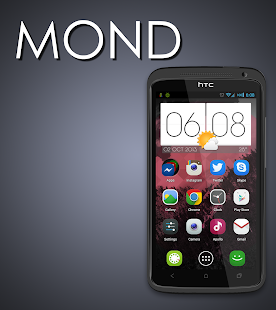
MOND – Launcher Theme v2.8.Apk

MOND – Launcher Theme v2.8.Apk

MOND - Launcher Theme - screenshot thumbnail

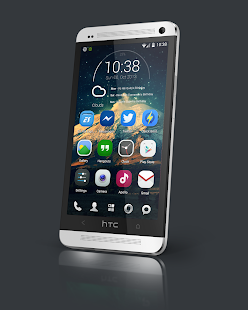
This is my MOND icons pack !
With over 1800+ HD icons for your phone and more as your request :)
Support XXHDPI devices ( One, S4, …) and fully support – you can set 130% icon size with XHDPI devices ( One X, S3 ,…)
MOND - Launcher Theme - screenshot thumbnail

READ MORE AT GOOGLE PLAY STORE


DOWNLOAD MOND – Launcher Theme v2.8.apk

OR


PLAY STORE


Upcoming searches

download MOND – Launcher Theme v2.8

MOND – Launcher Theme v2.8.apk

full version MOND – Launcher Theme v2.8

apk MOND – Launcher Theme v2.8

download apk MOND – Launcher Theme v2.8.apk

Espier Launcher 7 Pro v1.4.5 Patched.apk

Espier Launcher 7 Pro v1.4.5 Patched.apk

Cover art


Espier Launcher 7 is the flat-style edition of the best and the most popular Apple style home screen app (Espier Launcher) for Android devices. In this edition, you can experience the perfect Android implementation of Apple’s flat style font, layout, search page, and animations. Now, you can feel the simplicity on your Android devices!
By using other Espier apps (Espier Screen Locker 7, Espier Notifications 7, and Espier Control Center 7; The Pro editions of these apps are also available on Google Play), your Android device will get a complete makeover.
The Pro edition is only for users of Google Play. With this edition, we tried to provide you with a pure home screen app. All features are enabled and without any extra charges.
MAIN FEATURES
=============
1. Flat-style – It brings clarity to the entire experience:
* Perfect implementation of Apple flat style home screen effects and functions.
* Prefect Apple flat style animations.
* Dynamic clock and calendar icons.
* Dynamic color of the titles and the indicators based on the shade of wallpaper.
2. A perfect combination of beautiful flat style and the modern Android features:
* Flawless widget support; You can have multiple widget pages (up to eight).
* Complete shortcuts management.
3. Dozens switches or options, which help the launcher matches your Android device perfectly:
* Use widget pages or not.
* Show all widgets in one widget page or use multiple widget pages.
* Show widget pages along with icon pages or show the widget pages separately.
* Powerful customization of icon layout; You can customize the icon size, icon layout (columns and rows), the size of icon title, and the color of the title.
4. Unique multi-language support; Dozens languages supported, and more and more.
5. App Box folder reminds you the update of your apps in time.
6. Other features or enhancements:
* Design icon by yourself; you can apply one design to a specific category of icons, not only one icon.

READ MORE AT GOOGLE PLAY STORE


DOWNLOAD Espier Launcher 7 Pro v1.4.apk


OR


PLAY STORE


Upcoming searches

download Espier Launcher 7 Pro v1.4

Espier Launcher 7 Pro v1.4.apk

full version Espier Launcher 7 Pro v1.4

apk Espier Launcher 7 Pro v1.4

download apk Espier Launcher 7 Pro v1.4.apk

Saturday, 19 April 2014

ThyrusHolo KIT KAT Black Theme v6.Apk

ThyrusHolo KIT KAT Black Theme v6.5.Apk

Cover art
Use ONLY if you are using AOKP, CyanogenMod or a similar ROM that is current and has the theme chooser installed/enabled.
CM11 (or similar 4.4.2 kitkat AOSP roms with theme chooser) is the best option for the theme. It MAY work on CM10.2, but really is only guaranteed for CM11.
If you prefer a light themed version, feel free to use the light edition of my Kit Kat theme on the market with a holo.light dialer/messaging app.
It is based on my other popular themes on Google Play, so I would recommend you check these out before you purchase this special edition.
If you use the quick response in MMS.apk, make sure you enable “dark theme” in the MMS/SMS settings.
This is tested and will work on CM10 and AOKP ROMs. Custom ROMs that deviate from these such as Paranoid Android may introduce issues as these ROMs deviate strongly and some features may not support themes.
ThyrusHolo KIT KAT Black Theme - screenshot thumbnailThyrusHolo KIT KAT Black Theme - screenshot thumbnail
Notes:
- Works best on CM11
- In order to allow no background for statusbar and navbar, please use a custom rom that supports that (such as AOKP), I cannot theme this via theme chooser unfortunately.
- CM11 Dialer only themed when using CM11 based ROMs as of January 29th 2014 (incudes the relevant changes to make dialer themable)
Installation:
Apply theme, then reboot. Reboot is also required after a theme update is installed.
Getting”improperly compiled” error?. Set to system theme, reboot, then apply.
Missing assets/screen size? Apply anyway
- Added custom white statusbar icons (for those that use a themed ROM but do not like the customizations)
- Kitkat inspired dialer
- Added a semi-transparent widget background for most system widgets
- No dividers in settings and other sub- and pop-up menus
- Themed pop-up and settings menus
- Black background for dialer and contact/people app
- Themed MMS and people app (fully themed)
- Themed Google Now
- Themed Play Store
- Themed Play Music
- Themed Browser
- Themed Gmail
- Themed Google Translate
- Themed Google Drive

READ MORE AT GOOGLE PLAY STORE


MIRROR 1ORPLAY STORE


Upcoming searchesdownload ThyrusHolo KIT KAT Black Theme v6ThyrusHolo KIT KAT Black Theme v6.apkfull version ThyrusHolo KIT KAT Black Theme v6apk ThyrusHolo KIT KAT Black Theme v6download apk ThyrusHolo KIT KAT Black Theme v6.apk

Friday, 18 April 2014

Next Launcher 3D Shell v3.1

Next Launcher 3D Shell v3.Apk


Next Launcher 3D Shell - screenshot thumbnail
Next Launcher 3D Shell— Best 3D Launcher Ever. + Brand new UI3.0 Just Released!
Next Launcher 3D Shell shows you how 3D dynamic effects and highly customizable Android home screen replacement app could redefine your Android device. Time to get rid of the flat traditional launcher and embrace REAL 3D Launcher! You deserve it!
Claim Your Next Launcher 3D Shell Right NOW! 
Join millions of users for ultimate and splendid operation experience and visual enjoyment!
■ Testimonials
“One of the most heavily customizable, fluid, and striking launchers we’ve ever seen here at Redmond Pie.” - Redmond Pie
“A gorgeous app packed with dynamic effects and 3D elements. The gratifying 3D visual elements, transition effects, and gestures will get you a different and brilliant visual enjoyment and operation experience.” - Topapps
“The launcher features crazy 3D effects, turning any device you own into a futuristic Tron-centric trip. With additional themes and custom widgets downloadable from Google Play, it’s an extensive and extremely comprehensive option for someone looking to spice up their device.” - Droid-life
■ Key Features
- Extremely fancy 3D effect with buttery smooth experience
- Real 3D Home Screen Transition Effects (Crystal, Cloth, Folding and more coming soon)
- Stunning 3D screen preview with dazzling animation of screen switching

READ MORE AT GOOGLE PLAY STORE


DOWNLOAD Next Launcher 3D Shell v3.1.apkORPLAY STORE


Upcoming searchesdownload Next Launcher 3D Shell v3.1Next Launcher 3D Shell v3.1.apkfull version Next Launcher 3D Shell v3.1apk Next Launcher 3D Shell v3.1download apk Next Launcher 3D Shell v3.1.apk

Next Launcher Theme Contrastum v2.5 Apk

Next Launcher Theme Contrastum v2.5.Apk


Cover art
Please read the description before buying completely.
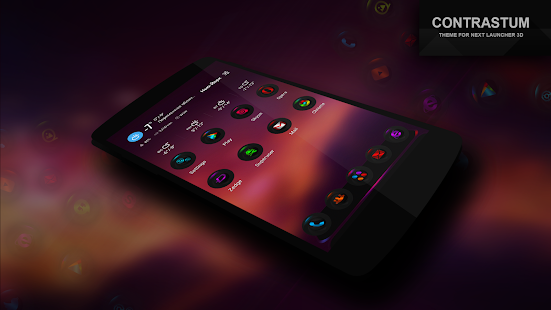
Beautiful next launcher theme. Please make sure that you have purchased and installed the latest version of the Next Launcher 3D.
Installation in classical mode :
Press menu on your desktop - > Themes - > Phone -> Select theme Contrastum.
Installation in 3D mode :
Switch Next Launcher to 3D mode -> click desktop menu -> select Themes - > Phone -> Select theme Contrastum.
Installation clock widget :
-Go to the system widgets 
-Scroll down the list and drag Contrastum Clock widget on the desktopNext Launcher Theme Contrastum - screenshot thumbnail

Installation recommendations:
1.If you don't see the theme, then after installation you must first apply the standard theme of the Next Launcher.
After that, the theme appears in the selection of themes
2 . If you don't correctly display a preview of desktops in a 3D mode, you need to dump settings of a launcher in a state by default (it is possible to make it in settings of a launcher, tab backup) and then to apply a theme

READ MORE AT GOOGLE PLAY STORE


DOWNLOAD Next Launcher Theme Contrastum v2.5.apkORPLAY STORE


Upcoming searchesdownload Next Launcher Theme Contrastum v2.5Next Launcher Theme Contrastum v2.5.apkfull version Next Launcher Theme Contrastum v2.5apk Next Launcher Theme Contrastum v2.5download apk Next Launcher Theme Contrastum v2.5.apk

KitKat 4.4 Launcher Theme v2.11 Apk

KitKat 4.4 Launcher Theme v2.11.Apk

Cover art
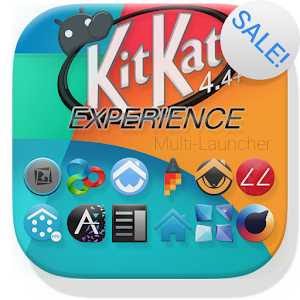
KitKat 4.4+ Experience is a brand new Ultimate Launcher theme for Android launchers.
Give your Android phone or tablet the latest KitKat OS look with completely custom-designed icons, wallpaper, dock bars, folder enhancements, launcher elements, and more, inspired by Android KitKat 4.4+ OS and the latest Nexus devices!
ULTIMATE KITKAT 4.4+ EXPERIENCE LAUNCHER THEMES FEATURES:
☑ Automatically apply KitKat Experience theme to your favorite launcher
☑ Automatically send missing icon requests
☑ Built-in icon search, view screenshots, icons, dock bars, and much more
☑ Help section included for additional help and info for Android launchers
KitKat Experience Icon Pack(s)
☑ Over 2,250+ Android 4.4 Kit-Kat inspired stock style icons
☑ Ultra-crisp XXX-HDPI resolution icons, highest resolution available in full 192px
☑ Switch between multiple icon designs, colors and styles, custom-designed featuring latest style of KitKat app icons
☑ Feel free to use built-in icon requester included in app or e-mail any requests you may have.
Built-in Wallpaper Manager
☑ 60 custom designed KitKat style wallpapers to choose from in a variety of colors and designs
☑ Cloud-based wallpaper system saves space on your device but allows highest definition wallpaper
☑ Features Muzei Live Wallpaper support, download Muzei and goto Settings > Customization > select KitKat Experience
EXTRAS
☑ Custom-designed Holo KitKat style clock widget, included in theme and available in your widget pack.
☑ Bonus: Includes additional dock bar icons designed for home screen dock bars, allowing you to customize this theme exactly to your tastes!
☑ 40 additional dock bar styles included in a variety of styles and additional color options.
☑ Exclusive colors and styles: Purple, Pink, Bright Red, and Zombie, available here on Google Play!
DIRECTIONS & INSTRUCTIONS:
This is a theme (like a skin), you must apply it using Apply section of KitKat Experience app, or you can apply it manually using launcher settings.
KitKat Experience supports nearly every launcher with FULL support for: Nova, Aviate, Apex, Next 3D (with 3D scene mode support), TSF Shell, GO, Solo, Smart, ADW, Action, Holo, Atom, Lucid, Unicon, and most others.
KitKat Experience also supports Unicon, allowing you to apply icon pack to any launcher (including the new Google Now Launcher!)
If needed, additional theme application instructions are listed on support website or in Help section of KitKat Experience app.
To change wallpaper: Press Menu > Wallpaper > Scroll to KitKat Experience Wallpaper > Select wallpapers > Apply
To add KitKat Experience Analog Clock Widget:
Press Menu > Widgets > Scroll to KitKat Experience Clock > Select and resize using your launcher
DEVELOPER NOTES:
Please e-mail if you have any other questions, suggestions, or concerns.

READ MORE AT GOOGLE PLAY STORE


OR


Upcoming searchesdownload KitKat 4.4 Launcher ThemeKitKat 4.4 Launcher Theme.apkfull version KitKat 4.4 Launcher Themeapk KitKat 4.4 Launcher Themedownload apk KitKat 4.4 Launcher Theme.apk